Create an AI Template
This guide explains how to create AI templates used for automated story generation.
What Is an AI Template?
An AI template is a set of predefined slides containing layouts and AI placeholders such as TITLE, TEXT, or CTA.
During generation, the AI fills these placeholders with content and assigns matching media.
Templates define the visual structure of generated stories and remain fully editable in the Slidy Editor.
How the AI Uses Templates
The AI:
- Selects appropriate slides based on content and story flow
- Fills placeholders with generated text
- Assigns images or videos from available media
- Preserves editability of the final story
Creating multiple slide variations improves results.
How to Build an AI Template
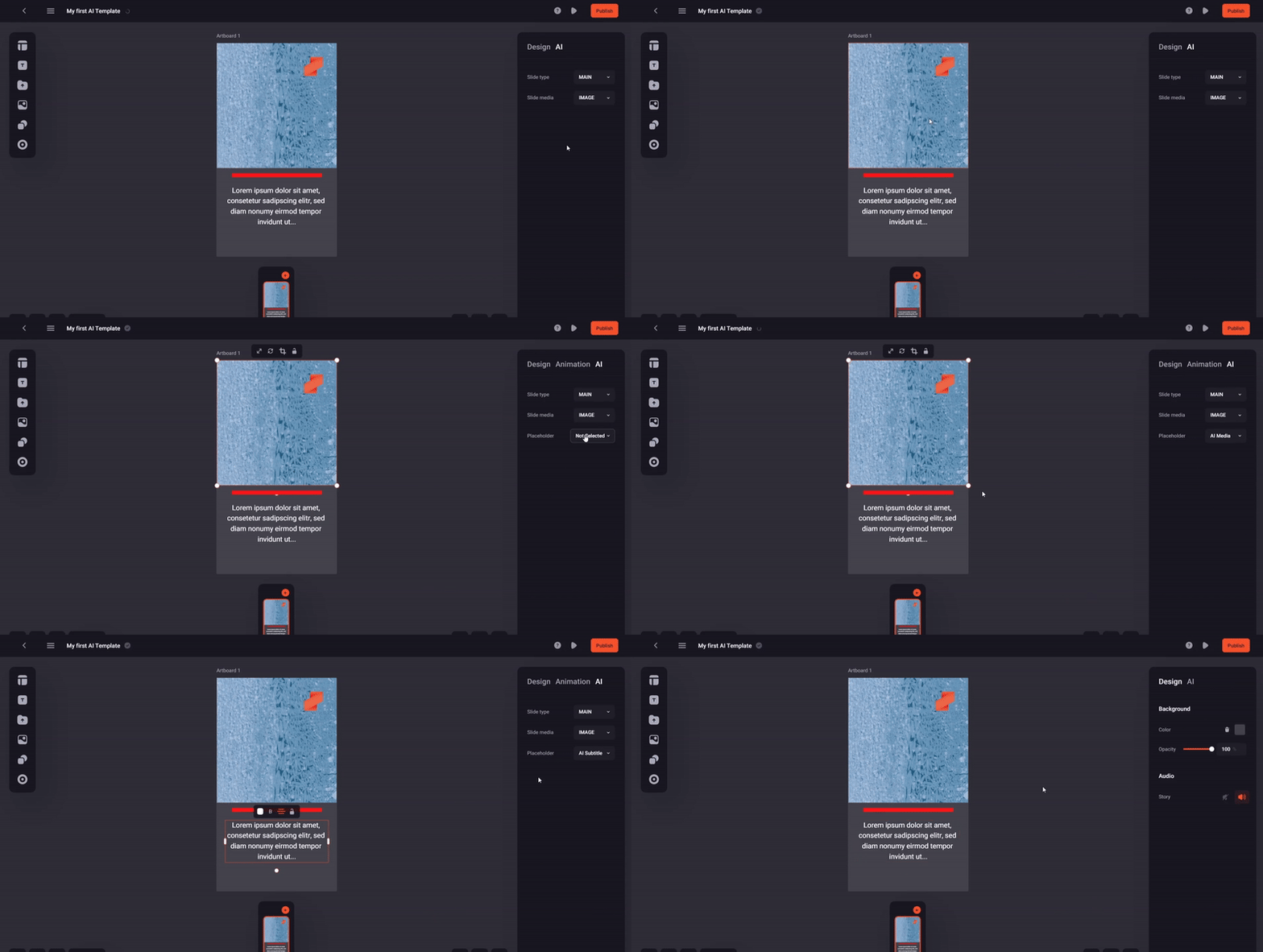
💡 The GIFs show the creation process for the Single Slide Story AI template.
- Decide which template you want to build.
- Check requirements in the Template Catalog or UI.
- Create slides and define:
- Slide type (INTRO, MAIN, OUTRO)
- Slide media (image or video)
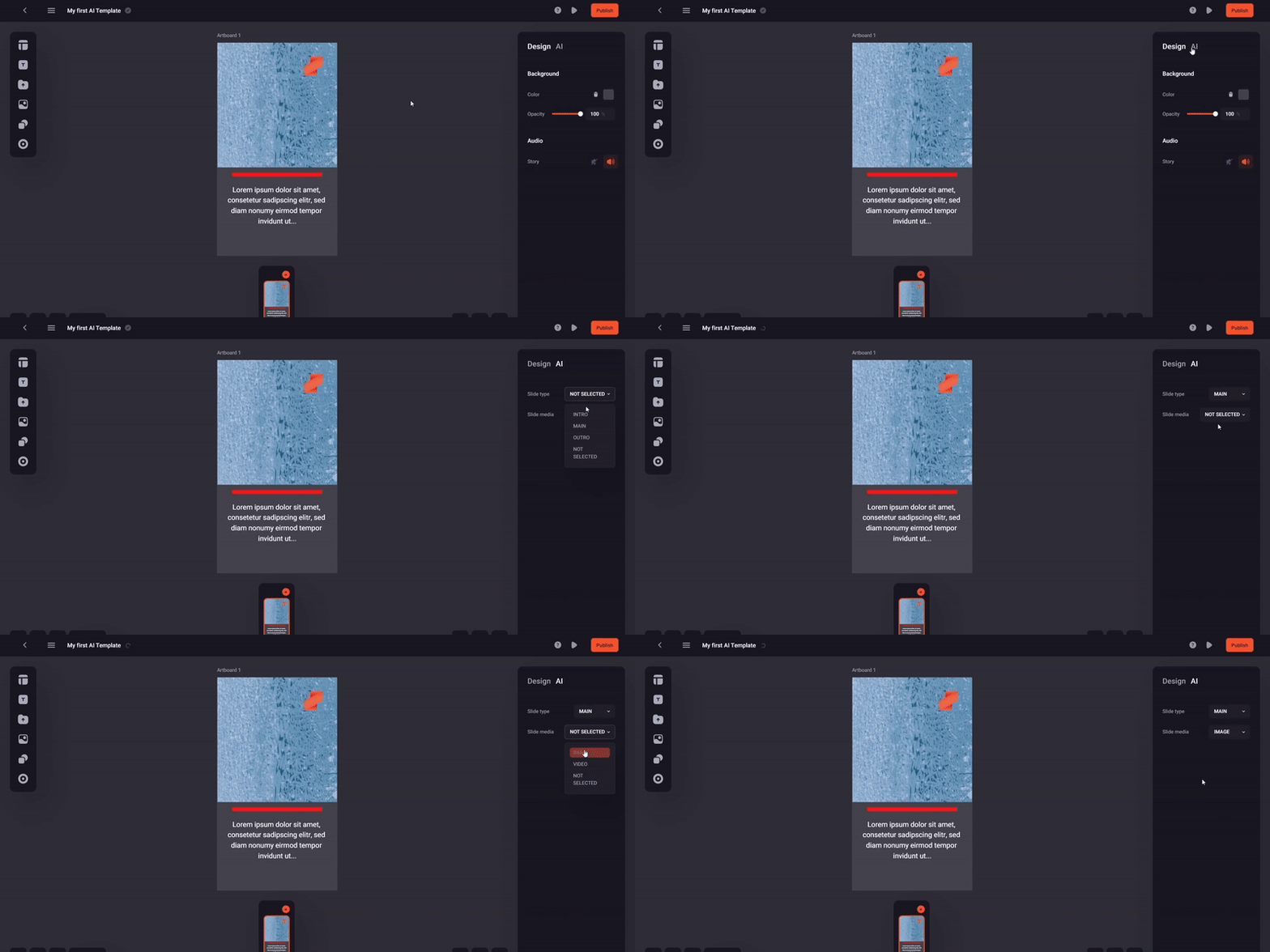
- Add elements and mark them as AI placeholders:
- Select the element
- Open the AI tab in the right sidebar
- Choose a Placeholder type
- Save the template. Validation runs automatically.
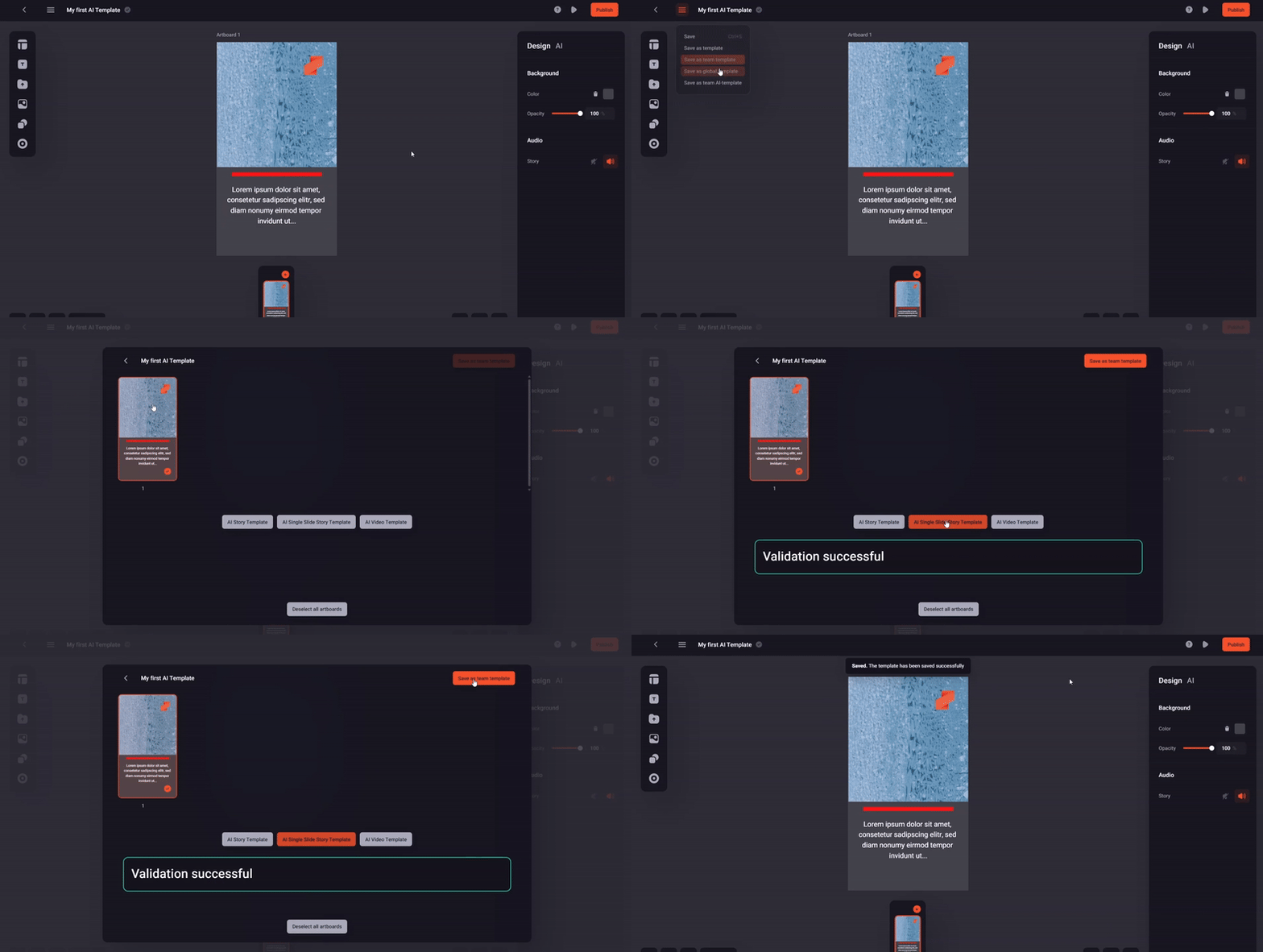
Best Practices
Keep layouts simple
Avoid overlapping elements to improve AI reliability.
Text placeholders
Make placeholders as wide as possible and include dummy text. The AI adjusts height only.
Spacing
Leave free space to allow placeholder expansion without layout issues.
Visibility
Use background colors for text to ensure readability across diverse media.
Template Catalog (v1)
Story Template
| Slide | Section | Media | AI Placeholders |
|---|---|---|---|
| 1 | INTRO | image | TITLE, SUBTITLE, AUTHOR_CREDITS, MEDIA |
| 2 | MAIN | image | TEXT*, AUTHOR_CREDITS, MEDIA |
| 3 | MAIN | video | AUTHOR_CREDITS, MEDIA |
| 4 | OUTRO | image | TEXT*, AUTHOR_CREDITS, CTA, MEDIA |
| 5 | OUTRO | video | TEXT*, AUTHOR_CREDITS, CTA, MEDIA |
* required
Single Slide Story
| Slide | Section | Media | AI Placeholders |
|---|---|---|---|
| 1 | MAIN | image | TITLE, SUBTITLE*, AUTHOR_CREDITS, CTA, MEDIA |
* required
Video Story
| Slide | Section | Media | AI Placeholders |
|---|---|---|---|
| 1 | MAIN | video | AUTHOR_CREDITS, CTA, MEDIA |
Section Catalog (v1)
| Key | Description |
|---|---|
| INTRO | Introductory section with a hook |
| MAIN | Core story content |
| OUTRO | Conclusion with call to action |
Placeholder Catalog (v1)
| Key | Type | Description |
|---|---|---|
| TITLE | Text | Main story title |
| SUBTITLE | Text | Subtitle or teaser |
| AUTHOR_CREDITS | Text | Media author attribution |
| CTA | CTA | Call-to-action button. Use one per slide |
| MEDIA | Media | Defines media size and position |