Import Content into Slidy
This guide explains how to import content into Slidy for AI Story Conversion.
Available Import Methods
You can import content into Slidy in two ways.
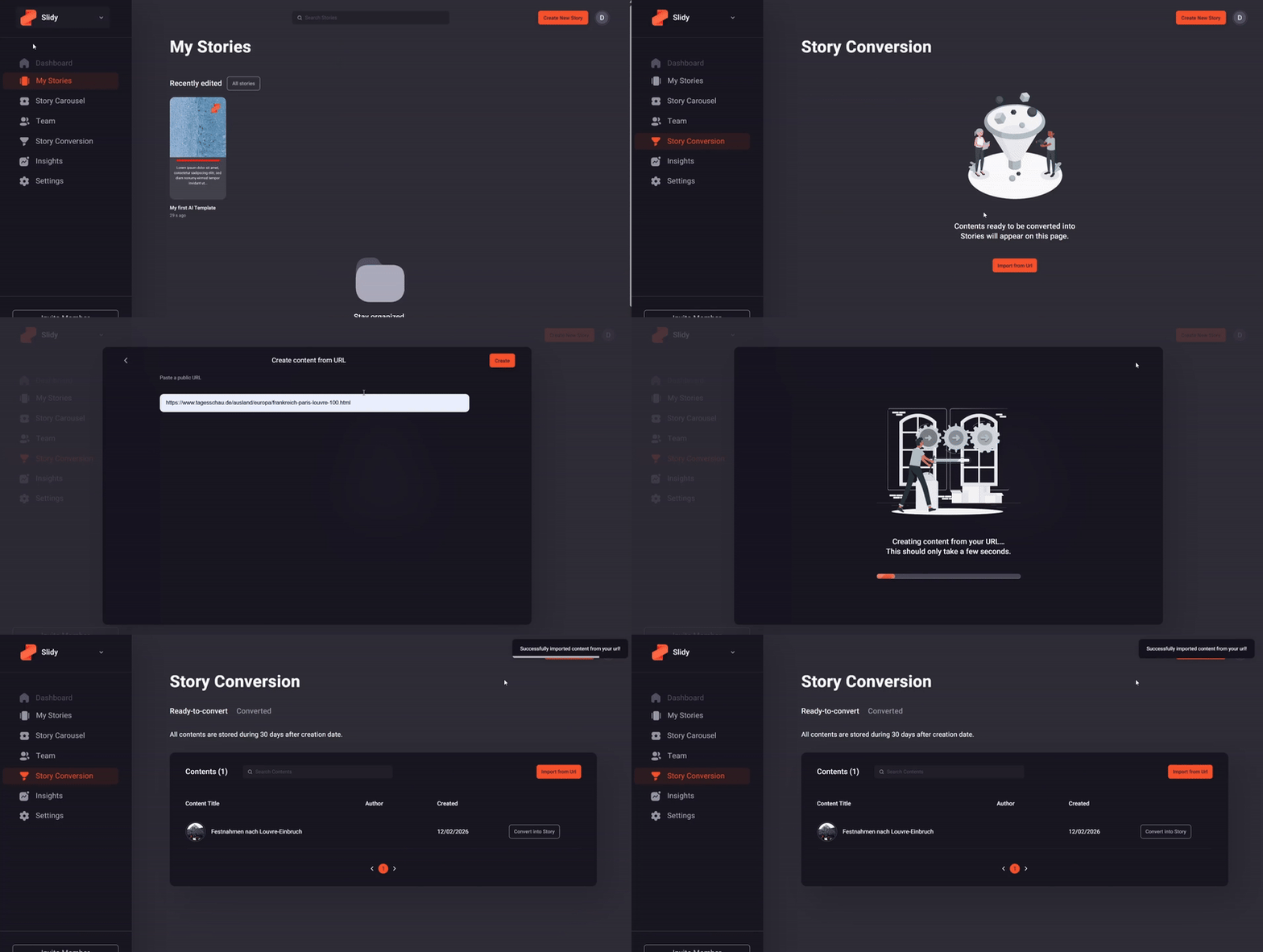
URL Import (UI)
Content can be imported by providing a URL directly in the Slidy UI. This method is not recommended because it is more error-prone and only supports optimized web-quality images. Videos and several advanced Slidy features are not supported, which can lead to reduced story quality.
API Import (Recommended)
⚠️ Important! This guide assumes the reader has a technical background.
The recommended approach is programmatic import via the Slidy API. Once your article is published, you can send the content data to Slidy, including images and videos. Slidy stores the media assets and supports additional metadata fields that significantly improve AI-generated results.
For full details, refer to the Slidy Automation Docs.