Run Slidy Story Conversion
This guide explains how to generate stories using imported content and AI templates.
Convert Content into Stories
- Go to Story Conversion
- Select your imported content
- Click Convert
- Choose the AI template you created
- Confirm the conversion
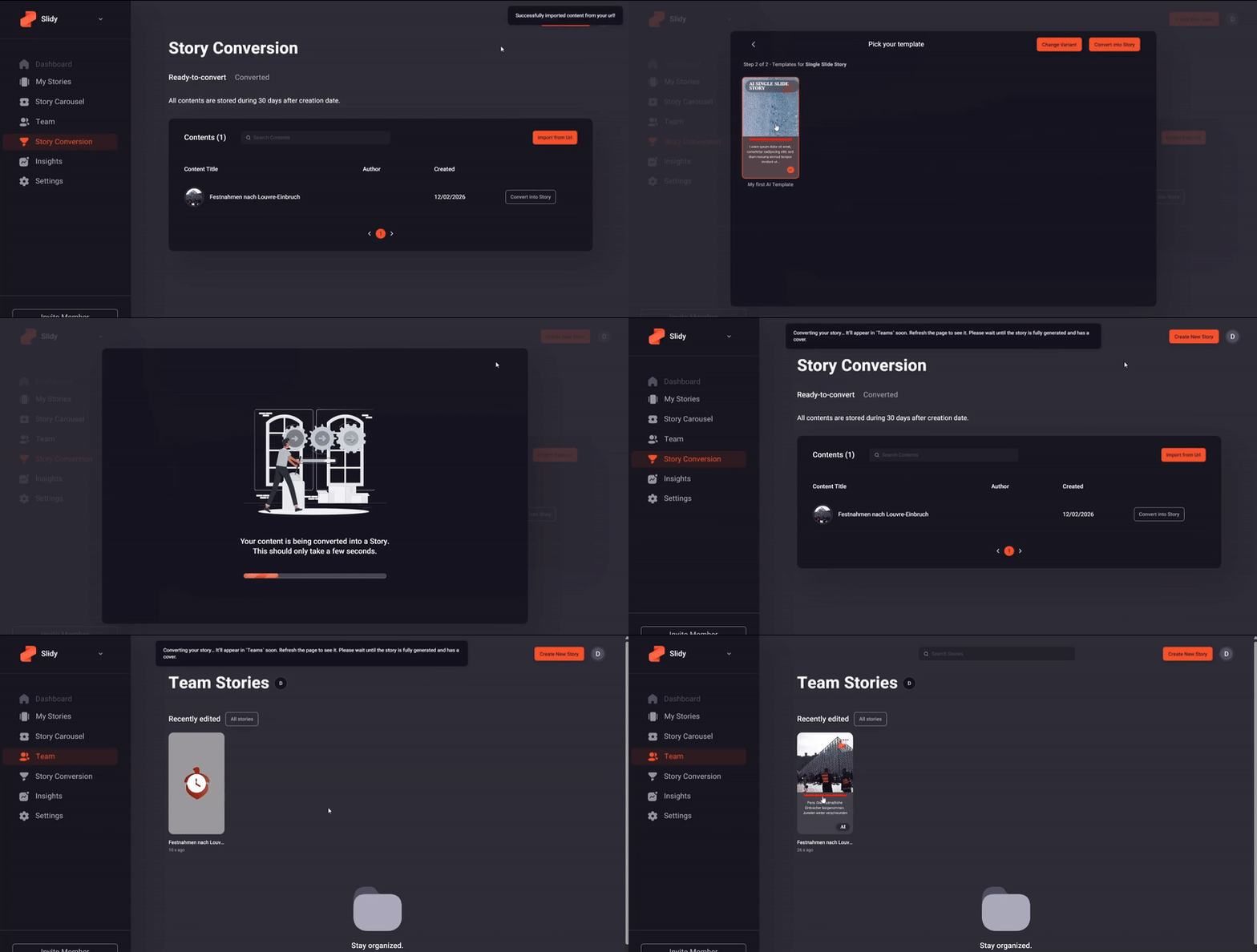
The generated story will appear in the Team tab.
Review and Adjust
After generation, review the story in the Slidy Editor. You can adjust layouts, text, and media before publishing.
Programmatic Conversion
⚠️ Important! This guide assumes the reader has a technical background.
All conversion steps can also be performed via the Slidy API, enabling full automation of story generation workflows.
For details, refer to the Slidy Automation Docs.