Reset Password
You can change your password in Slidy anytime, and it is also no big deal if you can not remember your password when trying to log in to Slidy. As long as you know you account email you can reset the password by yourself and create a new one.
💡Tip: Password Best Practice - We suggest you to have strong and secure passwords consisting of min. 8 characters, lower & upper case, and mix of numbers, letters, and special characters.
Forgot password
If you forgot your password for the Slidy account it is simple to create a new one. First you have to click on Forgot password? on the login page - highlighted in this image:
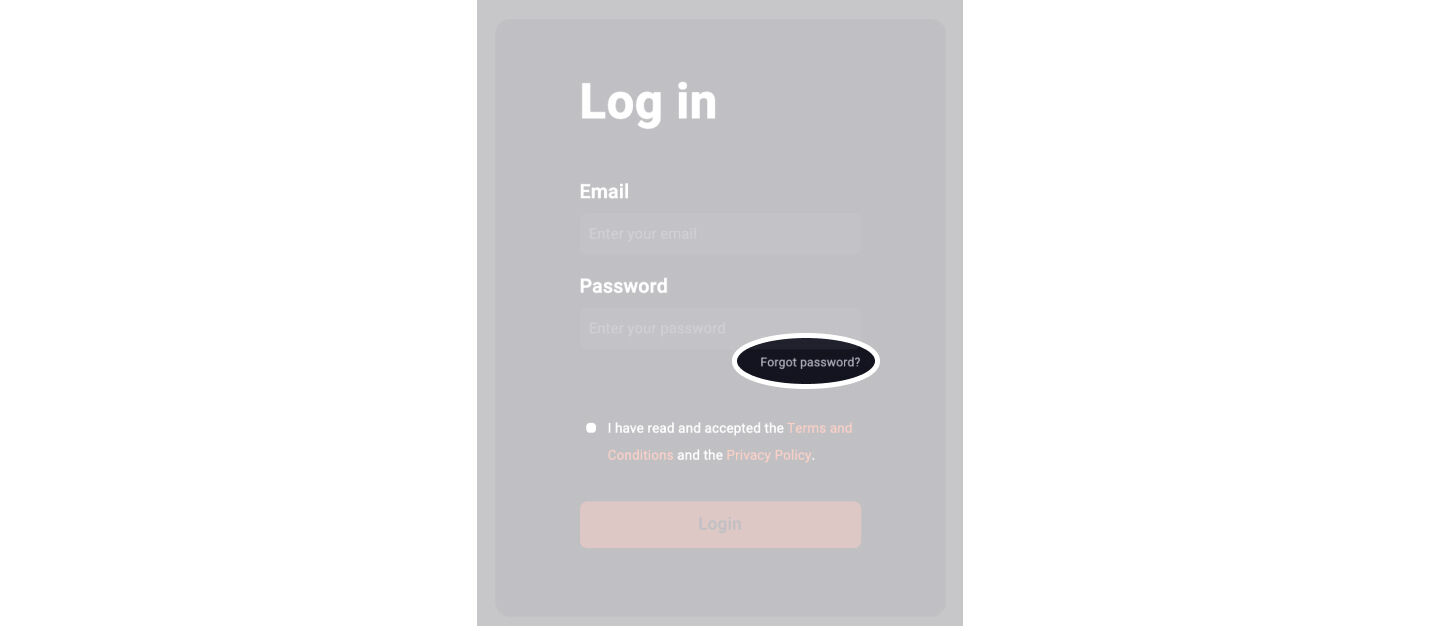
Now simply follow these steps to get access back to your account:
- Fill in your Slidy account email
- You will receive an email with a 6-digit code
- Please insert this code into the Slidy code window
- Now you can set a new password by entering it twice
Your new password is set, and you can log in to Slidy with your email and new password.
💡 Tip: Forgot your account email? Contact our support team and we will tell you the email address
Change password
There is always the option to set a new password if you are logged into your Slidy account:
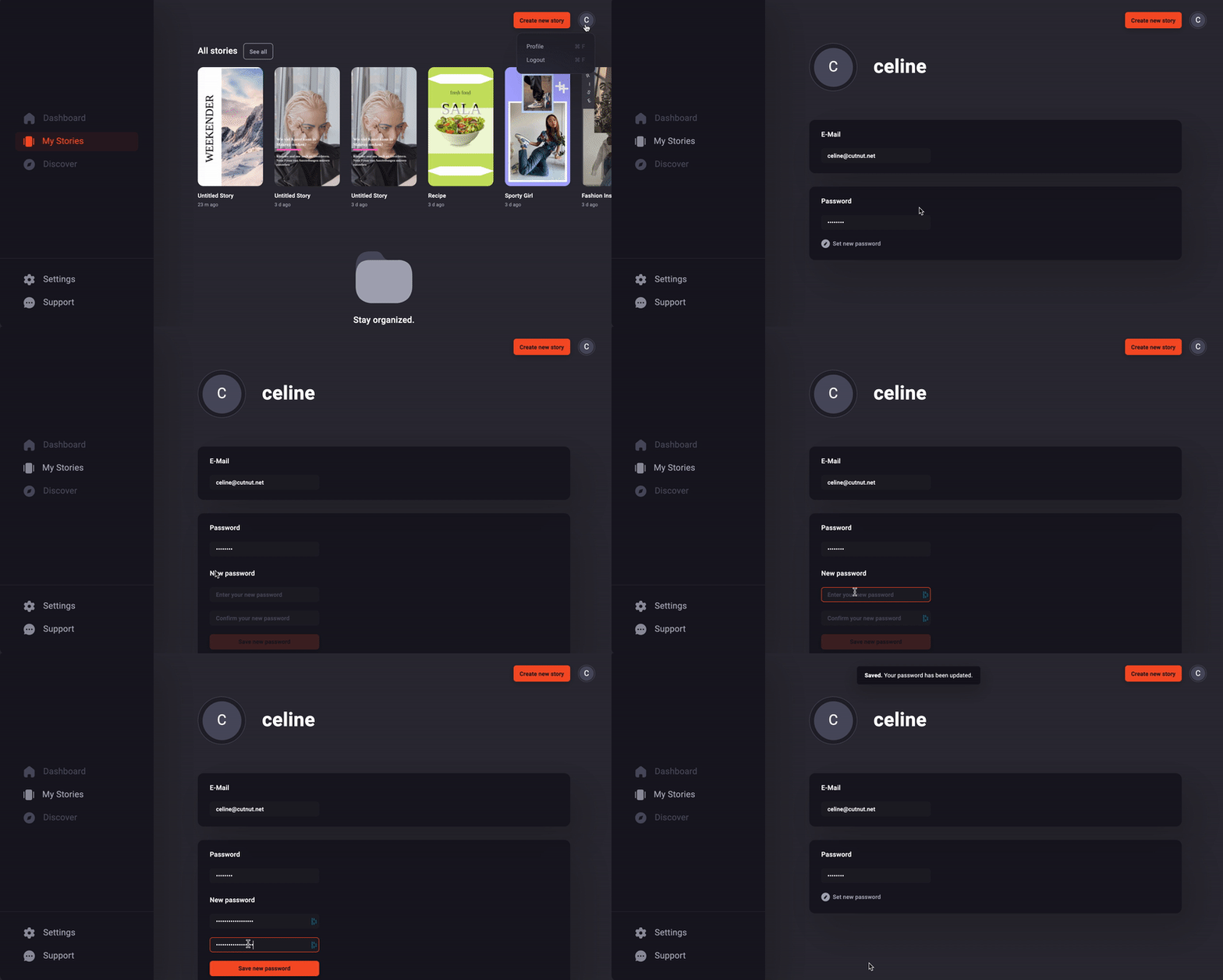
Follow these steps:
- Click on your profile icon in the upper right corner
- Select Profile
- Click on Set new password
- Enter your new password twice
Your password is changed and if you forget it till your next login just have a look at the first part of this article